
Are you wondering what the best CMS for your business is?
There are hundreds of CMS platforms on the market today! So finding the best one for your needs will require knowing what you want to get out of your website.
Drawing from years of personal experience working with various CMS platforms, I have gained invaluable insights that will help you make an informed decision when selecting the ideal CMS for your unique business requirements.
This list of the top 11 CMS platforms should help guide you in choosing the best CMS software for your business and use case, no matter what type of website you’re building or your technical skills!
Top Open-Source Content Management Systems
Open-source CMCs are the most popular on the internet. These systems are the interim between a self-hosted website-building platform and a headless system.
Generally speaking, you will be able to build your ideal website on one of these platforms due to their level of customizability. However, you will need to arrange separate web hosting, domain name purchasing, and security to get the best functionality and protection.
Thanks to recent upgrades, open-source platforms are fast becoming more user-friendly for beginners and non-technical users.
1. WordPress
Hands down, the world’s most popular CMS is WordPress. It powered over 455 million websites in 2021. That’s about 35% of the internet, folks!

Since WordPress was originally launched as blogging software, it has been loved by web content creators worldwide (myself included) and currently powers over 96% of the top blogs[1] in the world. Other CMS platforms can hardly compete with the popularity of WordPress.
Out-of-the-box WordPress is a blank slate. It may seem a little challenging to navigate if you’re using it for the first time and learning how to build a WordPress site on your own. This is due to the vast amount of customizability available on the platform.
However, when you add a theme and a few plugins to extend WordPress’s built-in functionality, you’ve got yourself a versatile platform that can be molded to your exact requirements.
It’s also relatively easy to find developers and advanced users who can work within WordPress code to customize your website further.
 Highly customizable
- Suitable for almost all types of websites
- Versatile and scalable to organizations of any size
- Beginner-friendly with the right plugins
- The largest collection of plugins and themes
- Solid community
- Reasonably easy to find solutions to most common problems online
- It is pretty cheap to build and maintain a website
 Plugin and site maintenance can be time-consuming
- There’s a learning curve for first-time users
- Costs can vary wildly from user to user
- Without plugins, there’s hardly any in-built functionality
- Cannot easily share content outside of a website format
- Limitations for enterprise sites requiring custom functionality
WordPress’ Top Features

WordPress is the most popular platform due to its extensive collection of themes and plugins. It is mostly used by rank and rent websites, bloggers and small to large businesses who often want to DIY their website design. Their search engine optimization tools are amazing.
However, if you need an enterprise-level solution you may find a headless CMS system like Drupal or Magento to be a better provider for the enterprise-level functionality that you need.
Being a free platform with the most extensive collection of free and premium options, you can extend its functionality any way you like in a very affordable manner!
WordPress Pricing

As a platform, WordPress.org is entirely free.
However, you will need to invest in purchasing a custom domain name, a hosting plan, and some plugins to add functionality to your website. For most small business sites and blogs, you can get started for less than $100 a year.
Check out the video below, where I show you exactly how you can get started on a small budget.
Key Takeaways
WordPress is very versatile and is supported by a large, global community of web designers and developers. It takes a bit to get used to but is relatively easy to navigate once you’ve had a feel for it.
With the range and versatility of themes and plugins available for WordPress, you can’t go wrong if you choose this open-source CMS platform.
2. Drupal
Drupal is another flexible open-source CMS software. Unlike WordPress, Drupal has a narrow audience and mainly targets developers, marketers, and agencies.

It is one of the best CMS for handling custom websites that have large volumes of data or heavy traffic volumes.
Unlike WordPress, Drupal is better suited to businesses with significant technical resources. To unlock its full power, an understanding of PHP, HTML, and CSS is necessary (among other coding languages).
- Better suited to developers and advanced users
- Great performance for data-heavy websites
- Best reputation for security among open-source software
- Decent selection of customizable modules and themes
- Requires intermediate to advanced technical knowledge
- Not suited to businesses with a low technical budget
- Not intuitive to use
- Takes more time to set up and configure
- Expensive to set up and maintain in the long run
Drupal’s Top Features
Drupal has earned a high reputation for its dedication to providing top-notch security. Not only is website security essential, but it is also a pain point of many other open-source platforms.

For instance, without security plugins, constant updates, and maintenance, WordPress users can frequently experience malware attacks and hacks.
With Drupal, you can sleep easy at night knowing you can get the best of an open-source platform without worrying about new security breaches popping up overnight.
Drupal Pricing
When you compare WordPress vs Drupal, Drupal costs businesses far more to set up and maintain.
The costs aren’t in using the Drupal platform since it is also open-source, like WordPress. Instead, the bulk of Drupal’s cost is in hiring a technical team to build and maintain your website.
A standard website built in Drupal costs between $30,000-$40,000 though you can expect to pay north of $100,000 if you require additional customization.
Key Takeaways

Drupal’s focus on security and its ability to handle large, customized websites make it a top choice for organizations with in-house developers who can maintain the website.
It is not an affordable option for smaller businesses, so it is not a widely adopted CMS platform, like WordPress.
3. Joomla
Joomla is designed to be the middle ground solution between WordPress and Drupal. It is another open-source CMS that combines the technical power of Drupal with some of WordPress’ ease of use and affordability.

While it’s not as widely used as WordPress, it is still a popular CMS platform in today’s market and currently holds about 2.5% market share in the CMS space. You can check our WordPress and Joomla direct comparison for an in-depth analysis.
Unlike Drupal, Joomla has over 6,000 available extensions. It also comes with more out-of-the-box functionality than most open-source CMS platforms.
However, most of Joomla’s functionality is unlocked in the backend. Unlike visual drag-and-drop builders where you can design and build the functionality, you need at the same time (in the front-end), with Joomla you can’t do both at the same time.
That’s why many people find it more challenging. To unlock its full functionality, you will need to learn how to navigate Joomla’s backend system.
It has a reasonably steep learning curve for beginners unfamiliar with using an open-source CMS.
For instance, unlike modern CMS platforms, you cannot edit your web pages using an intuitive drag-and-drop builder.
- Robust functionality
- 6,000+ extensions available
- More affordable than Drupal
- Very customizable
- Fewer technical skills are needed compared with Drupal
- The largest amount of vulnerabilities in an open-source CMS platform
- Lack of functionality for automatically scheduling updates
- Most of the design happens in the back-end and is not very user-friendly
- Many extensions are not easy to set up
- Not suited to beginners or organizations with a low technical budget
Joomla’s Top Features

Joomla’s stand-out feature is the 6,000+ extensions available. Although these aren’t as easy to navigate as WordPress plugins, they extend the built-in functionality of Joomla’s platform further than most other open-source CMS systems.
Joomla Pricing
Joomla’s pricing sits in between WordPress’s and Drupal’s. On average, it can cost between $700 to $6,500 to create and maintain a Joomla website.
Although this is not cheap compared with self-hosted CMS software, it is relatively inexpensive compared with Drupal.
Key Takeaways
Joomla is a decent platform worth checking out for organizations seeking the customizability of open-source software.
It offers more robust features than WordPress without the excessive cost and technical knowledge required to run an enterprise-level open-source CMS like Drupal.
Best CMS Platforms for An Online Store
If you are building an online shop, the CMS you choose will need to be able to do more than just manage content. For instance, the data, images, and videos related to each product in your store will need to be stored and easily accessed within your CMS.

So the best CMS for eCommerce stores depends on how big your store will be and what technical specifications you wish to include.
Some platforms offer intuitive functionality as soon as you sign up, and few plugins and add-ons are needed.
However, they can become quite limited if you want further customizations. Others offer unlimited customizations but aren’t as intuitive for non-technical users to get started with.
So here are our best CMS recommendations for both scenarios and for eCommerce sites of any size!
4. Shopify
Shopify is known and loved by many owners of eCommerce sites. It is a hosted solution for small business owners to set up and manage their online stores with ease. You can manage your entire store in Shopify’s dashboard.

It is ideal if you are setting up an online shop for the first time and want a simple platform you can get started with right away. Shopify’s native functionality is simple and intuitive so you won’t need many technical skills to get started.
However, it is also a wonderful solution for larger stores that need robust integrations and omnichannel presence.
Shopify integrates with many 3rd party logistics providers, inventory management systems, and omnichannel platforms to help fulfill customers’ orders.
- Perfect for first-time online shop owners
- It does not require much technical knowledge to set up
- Security, hosting, and support are all included in all packages
- Shopify’s checkout process is smooth and seamless for your customers
- End-to-end encryption and secure payment processing
- It can come with a free domain, or you can add a custom, branded one
- Poor SEO performance
- Less control over the appearance and functionality of your store
- Free plans are not available
- The blogging module leaves a lot to be desired
- Limited customization options
- A limited selection of themes and apps
Shopify’s Top Features

Shopify made a splash in the online world when it launched its proprietary checkout experience. Many customers can often feel frustrated during the checkout process, especially with clunky designs that are not user-friendly.
Shopify’s checkout process is intuitive, beautiful, and runs seamlessly so your customers can experience less frustration during checkout.
Shopify Pricing

You can get started with Shopify for as little as $9/month with the Shopify Lite plan. This plan won’t give you an entire store, but it lets you integrate Shopify’s eCommerce capabilities into an existing website or blog, regardless of what platform you build it on.
If you’d like to build your online store on Shopify’s platform, the lowest package starts at $29/month.
Shopify’s pricing also scales up according to the needs of your store. If you run a large store and require enterprise features, Shopify Plus is the way to go.
Key Takeaways
Shopify is the preferred solution for setting up an eCommerce store among first-time online shop owners, people with limited technical skills, and small businesses.
It offers an intuitive and easy-to-use platform that makes the experience of selling online a breeze to get started with.
5. Magento
Owned by Adobe, Magento is an eCommerce platform that offers an unlimited amount of options for tech-savvy store owners. It is not as intuitive as Shopify. However, it offers so many more features!

There are two Magento products available. Magento Open Source is similar to Drupal. It’s a highly flexible platform allowing you to push the limits of traditional eCommerce store functionality. However, it requires advanced technical skills to make the best use of it.
Magento Commerce, on the other hand, is a hosted version of Magento but is not as popular as the open-source variation, so we’ll focus on Magento Open Source below.
- Ideal for experience eCommerce store owners
- Over 3,800 add-ons available in Magento’s marketplace
- Customizable due to open source technology
- Great for enterprise solutions
- Excellent for large stores with a lot of data
- Security patches need to be manually installed
- A steep learning curve, especially for beginners
- Expensive to build and maintain
- Requires technical and coding knowledge
- Without expert maintenance, your store is vulnerable to security threats
Magento’s Top Features

Much like Drupal, Magento’s top features come down to its ability to be fully customized to your store’s requirements. It is a platform best suited to online stores and offers over 3,800 add-ons and apps to help you get all the custom features you want in your store.
Magento Open Source Pricing
Magento Open Source is free to download and use; however, it incurs a rather hefty price tag when it comes to setting up your eCommerce store and maintaining it.
Compared with WordPress, your costs to host a Magento store are comparable. However, Magento’s add-ons typically cost more than WordPress plugins do.
Since you’re also going to need a developer to get the most customizable functions out of Magento, you’ll be looking at a website set-up cost of over $20,000.
Key Takeaways

Magento is like an eCommerce-specific version of Drupal. It is open source and allows for quite a lot of customization.
However, it comes with a hefty price tag, and you will need to have developers on board in order to properly maintain your shop on an ongoing basis. Thus, Magento is better suited to large stores with a decent technical budget.
6. BigCommerce
Like Shopify, BigCommerce is a fully hosted CMS platform for building eCommerce sites. You can get your store set up, get sales and earn money straight away. With a range of themes and shop templates, it’s easy for non-technical users to get started without needing to hire a developer.

As an all-in-one, hosted CMS platform, you also don’t need to worry about web hosting, security, or website maintenance as the BigCommerce team handles that on your behalf.
Perhaps the best feature you can utilize is the 24/7 support system. Unlike open-source content management platforms, where you need to Google things and find your own solution, BigCommerce has support staff on standby to help you out.
- You can use a free domain from BigCommerce or set up a custom domain
- You can set up your store and accept payments straight away
- BigCommerce integrates with over 55 major payment processing companies like PayPal, Stripe, Amazon Pay, and Apple Pay
- Support is available 24/7 via email, live chat, and more
- Fantastic enterprise solutions such as headless commerce and omnichannel support
- Limited control over your store
- Somewhat limited themes and integrations
- As your store grows, you will automatically be bumped up to a higher price tier
BigCommerce’s Top Features
BigCommerce offers a great range of features suitable for small businesses and large enterprises alike.

With unique functionality, such as the “commerce-as-a-service” model and headless commerce, BigCommerce can support business models that steer away from the traditional eCommerce structure.
Unique commerce-related business models require custom technology, and BigCommerce makes it easy and relatively affordable to access diverse eCommerce-related functionality for any online store.
BigCommerce Pricing
For small business needs, BigComerce starts at $29.95 per month and scales up according to your store’s growth.
Key Takeaways
No matter if your store is big or small, BigCommerce’s solutions can scale with you as you grow.
With 24/7 support on standby and a range of unique commerce solutions available, many businesses are using BigCommerce as a multi-functional website builder with great success.
Top Headless CMS Platforms
A headless CMS may be the best CMS platform for enterprise business. Websites with design requirements that differ from their content management requirements can also benefit from a headless CMS.
In essence, a headless CMS platform is a management system that treats content like data that can be called over an API. It decouples the experience of creating content from specific design outputs.

For instance, when using a traditional CMS platform, your content is interwoven with design elements on a web page. It cannot be extracted or treated like a data input that can show up elsewhere.
With a headless CMS platform, your content can be called into an array of versatile platforms. Of course, the most popular application is for the web.
However, headless CMS platforms also allow content to be pulled into mobile applications, virtual and augmented reality systems and voice-operated devices.
For organizations that want to be a part of the “intent of things” or that require dynamic functionality for the display of content, a headless CMS may be the way to go. Here are some top picks to consider.
7. Sanity
Sanity is a headless CMS designed for businesses that want to manage structured content and deliver it across websites, mobile apps, digital products, and AI-powered experiences.
Where many traditional CMS platforms tie content closely to a specific website design, Sanity stores content as structured data. This gives developers more freedom to reuse the same content across multiple channels without having to recreate or reformat it each time.
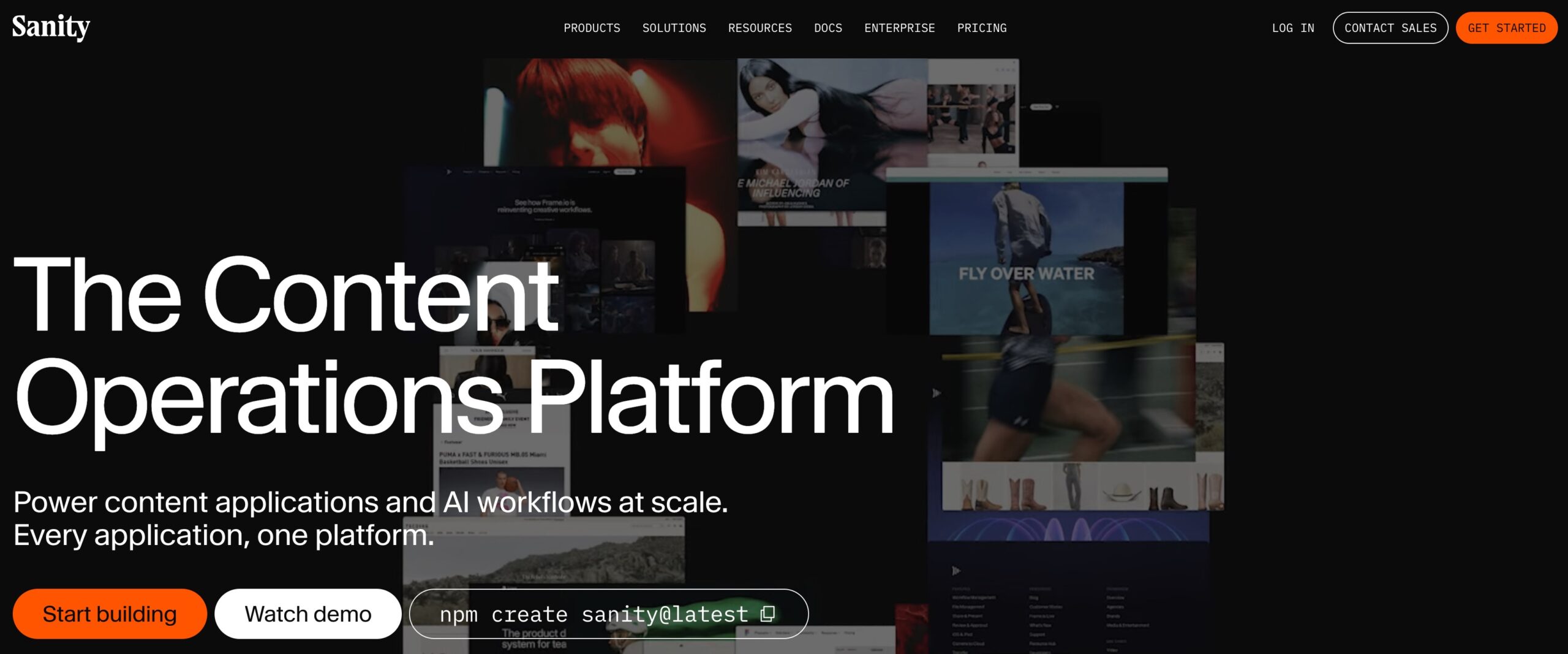
Sanity is also increasingly focused on AI workflows. The same structured content used on your website or app can be made available to AI agents, automation tools, and other custom applications.
- Highly customizable headless CMS
- Structured content can be reused across websites, apps, and AI experiences
- Schema can be defined in code and version-controlled alongside your development stack
- Supports GROQ and GraphQL for querying content
- Sanity Studio provides a customizable editing experience
- Includes tools for AI-powered content workflows and automation
- Offers a free plan suitable for smaller projects and testing
- It is not a drag-and-drop website builder and requires more technical knowledge than traditional CMS platforms.
- <